




Correlation between Dedicated IP and SSL


What is Dedicated IP exactly stand for? This is indeed a basic question that needs to be understood by any techno savvy person. However, before going to reveal about dedicated IP let us understand IP address. IP address serves two main functions including network interface identification and location addressing. Generally, there is 32-bit IP address is in use, which is known as IPv4 but due to growth of internet, IP designers now using 128-bit IP address, which is called IPv6. There is a lot of debate on whether to choose dedicated IP or not, we have to look at dedicated IP, and other aspects.
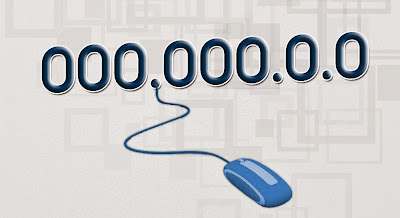
What is Dedicated IP?

It is easy to remember and assigned to each device that is participating in computer network used for communication. A dedicated IP is only devoted to a single server and not shared with other server. Many shared hosting providers charge normal fee to provide dedicated IP.

Speed and Dedicated IP:


Dedicated IP can also provide website speed though multiple source of traffic is handled by a single IP. Every server examines a packet, and request and then deliver the traffic to particular domain. In this case, number of destination is not significant, the process of website loading time can be slightly influenced which is not a serious concern.

Why SSL needs Dedicated IP?

When you have ecommerce website where online shoppers carry online transactions with their debit-credit card, or with online banking, you need an SSL on your website to protect ongoing transactions between the user and the company server. SSL certificate authenticates the server with IP address and verify the IP address assigned to the particular server. When a client connects to the server for a different domain name, the server gets confused about which certificate to show to the client. This process is defined in below example.

Example of SSL and Static IP:

For instance, there are two domains called www.abc.com and www.xyz.com and both domains are hosted on a single IP address (for example 000.000.0.0). Now a person has opted SSL for a domain called www.abc.com on his website with that IP address. However, the person wants to access https://www.xyz.com the browser will check for SSL and if it is fail to make secure connection for particular website, then browser will show a name mismatch error.

Advantages of Dedicated IP:

  • You have less downtime compare to Shared IP.
  • If you are ecommerce merchant then you should have your own SSL with a dedicated IP.
  • Many web-hosting providers need a unique IP to access anonymous FTP function.
  • Shared IP address may have security threat due to shared among multiple website while dedicated IP has less chance of security threats.
  • With static IP, you will have easy remote access of your PC from wherever you operate it.
  • There are chances of blacklisted website on shared IP address (If there is blacklisted website) on contrary, dedicated IP has less chance of blacklisted.

Alternate Solutions to Dedicated IP:

  • SNI (Server Name Indication): SNI is an extension to SSL that allows the client to include hostname in the first SSL handshake so, the server identifies the correct virtual host name for which the request is made, and the server can easily set up the connection.
  • Wildcard Certificate: Using Wildcard certificate user can secure unlimited sub domains under a single IP address. You can include sub domains like www.example.com, webmail.example.com etc.
  • SAN Certificate: Subject Alternative Name (SAN) can secure up to 25 domain names, sub domains with a single certificate.
Finally, it is up to user and its type of business whether to choose dedicated IP or shared IP. Dedicated IP is quietly considerable in SSL and especially when you have a single website.
[Read More...]


9 Reasons to Choose ClickSSL


1. Important of Consumer Convenience
ClickSSL provides quick and easy to obtain an SSL certificates. Before consumers enter credit card or sensitive personal information online they want to confirm that they are on the intended site and that their information is protected. Our SSL Certificates are trusted and secure. We help you protect sensitive information during transmission when your customers, business partners, and employees connect with you online.
2. Best Products – Lowest Price : Price Match Guarantee
Our SSL Certificates prices are cheap but products are best in SSL Industries. Our SSL Certificate supports 99+ % of all browsers and most mobile browsers and enable up to 256-bit encryption. We proudly guarantee the lowest pricing of all our brand SSL certificates. We always want you buy and renew SSL Certificates from us only. We guarantee lowest pricing and clock around quality support services what make us choice of smart buyers like you
3. One Stop Solution for Renew SSL Certificates
We offer you to renew your existing SSL Certificate at the lowest price in the market place. This would help securing your website online transactions at low price. We will bring continuity of cost effective internet security solutions to you. We offer an exclusive discount of Renew SSL Certificates. It makes renewal very easy and fast. You can get many benefits when you renew your SSL Certificate from the site. You will get 90 days extra validity on regular renewals or earlier renewals. You can also get special discounts for multiyear renewals from this site. This is about to give more discount to the customer and make them safe from internet fraud.
4. Get Free "SSL Secured Site Seal"
The “secured site seal” helps to establish your online authenticity by showing your visitors that your site has verified by most trusted Certificate Authorities on the Internet. When visitors to your web site see the “secured site seal”, they feel more confident to complete their online business and you will notice a marked reduction in abandonment rates and boost your online business.
5. Delivered by Leading Certificate Authorities
ClickSSL is Platinum Partner Company of RapidSSL, Thawte, GeoTust and VeriSign. We authorized to resell and renew all SSL Certificates. We offers highly secured and widely trusted SSL certificates at lowest price to support ecommerce security.
6. Broad range of online security products
ClickSSL has broad range of SSL products like Domain Validation SSL, Business Validation SSL, Wildcard SSL, EV SSL, SAN SSL, SGC- enable SSL Certificate and Code Signing Certificates.

7. 24x7 technical and sales supports
When you need help to setting up, managing and renewing your SSL Certificate. Our security experts give you easy and straightforward solution. Our professional administrator always analyses on ecommerce security. ClickSSL has helps companies and organizations of every size around the globe secure their e-commerce and Internet communications. A leader in Internet security solutions, ClickSSL offers affordable SSL Certificates, 24 x 7 support and advanced e-commerce products that are easy to use.
8. Get FREE Warranty
We importance our consumers, so we have guaranteed to offer SSL Certificates that include a warranty in the happening an SSL Certificate is mis-issued. The warranties range from $5,000 to $1,500,000 on all of our SSL Certificates, correct warranty information offered by all Certificate Authorities is available here.
9. Money-back guarantee
Our main goal is provide excellent consumers service, here at we are looking for completely clients satisfaction. We offer 100% refund of order amount on any SSL certificate purchase up on order cancellation request. If you are not satisfied, you can easily get your money back without any question.

[Read More...]


Installation Guideline: SSL Certificates on Tomcat Server


SSL – Secure Socket Layer is a security Protocol. SSL Certificate is a digital signature. SSL Certificate is also known as Public Key Identity certificate. SSL is a protocol for securing communication between a web browser, and web server. Whenever you access a web server using https, the page you are sent is encrypted, and any information you send to that server is also encrypted
  • Install Root CA Certificate
1) Download your SSL Certificates from SSL Certificate Authorities like RapidSSL, Thawte, GeoTrust or VeriSign. 
2) Use the Primary and Secondary Intermediate CA contents into a text file. (Use a text editor - Notepad or Vi.)
3) Primary Intermediate CA (file name as primary_inter.cer)
4) Use the below control  to import this Certificate in the keystore:
keytool -import -trustcacerts -alias primaryIntermediate -keystore (your_keystore_filename) -file primary_inter.cer
5) For the Secondary Intermediate CA, (file name as secondary_inter.cer)
6) Use the below control  to import this Certificate in the keystore:

keytool -import -trustcacerts -alias primaryIntermediate -keystore (your_keystore_filename) -file primary_inter.cer
  • Install the SSL Certificate
SSL CA email your Certificate. Use an attachment file(Cert.cer). Copy and paste it into a text file.
Use the below control  to import your SSL Certificate:
keytool -import -alias -keystore (your_keystore_filename) -trustcacerts -file (your_certificate_filename)
  • configure the SSL in Tomcat with server.xml
1) Close the Tomcat Server, when it is running. While it is started, Changes to the file /conf/server.xml are read by Tomcat Server.
2) Open the file < NPJBMK _HOME>/conf/server.xml in a text editor.
3) Detect the following section of code in the file. Remove comment tags around the Connector entry. The comment tags that are to be removed are shown below.
4) Save and restart Tomcat server


About ClickSSL:

ClickSSL.com is SSL Certificates Reseller and the platinum partner of Leading Certificates Authorities such as VeriSign, GeoTrust, Thawte and RapidSSL. Buy or Renew Wildcard SSL, EV SSL, Multi-Domain SSL Certificates and many more from ClickSSL at Cheapest Prices in the Industry.

Why ClickSSL? We offer internet business owners to buy or renew SSL Certificates for their internet based business at very low cost. Why We Sell Cheap SSL Certificates? We buy bunch SSL Certificates from leading authorities and pass discounts to internet business owners. For more information visit ClickSSL.com
[Read More...]


SSL - Single Root Vs Chained Root


SSL certificates are basically two types.
  1. Single Root Level SSL Certificate
  2. Chain Root SSL Certificate

When connecting to a web server over SSL, the visitor's browser decides whether or not to trust the website's SSL certificate based on which SSL Certification Authority has issued the SSL certificate. To determine this, the browser looks at its list of trusted issuing authorities - represented by a collection of Trusted Root CA certificates added into the browser by the browser vendor (such as Microsoft, Linux, UNIX, Sun and Netscape, Mozilla, Safari).

Where is this list of CA in your computer?

When browsers and operating systems are developed / installed, most CA Root certificates will be installed. As all Root CA are required to authenticate SSL certificate on any website. When you browse any website on HTTPS://, browser will automatically identify Root Certificate as defined earlier. If browser fails to identify CS then there would be an error message.

Most SSL certificates are issued by CAs who own and use their own Trusted Root CA certificates, such as those issued by VeriSign, RapidSSL, Thawte, and GeoTrust. As all of these are known to browser vendors as a trusted issuing authority, its Trusted Root CA certificate has already been added to all popular browsers like Internet Explore (IE 4.0, 5.0, 6.0, 7.0, 8.0), Mozilla Firefox, Safari, Netscape and hence is already trusted. These SSL certificates are known as "single root" SSL certificates. RapidSSL and GeoTrust own the Equifax root used to issue its certificates. As well VeriSign and Thawte have own Root to issue SSL certificates.

What is Chained Root SSL Certificate?

Some Certification Authorities do not have a Trusted Root CA certificate present in browsers, or do not use the root they do own. In place they use a "chained root" in order for their SSL certificates to be trusted - essentially a CA with a Trusted Root CA certificate issues a "chained" certificate which "inherits" the browser recognition of the Trusted Root CA. These SSL certificates are known as "chained root" SSL certificates. However chained root certificates installation is more complex and some web servers and applications are not compatible with chained root certificates. Chained root certificates require additional effort to install as the web server must also have the chained root installed. This is not necessary for single root certificates.

For a Certification Authority to have and use its own Trusted Root CA certificate already present in browsers is a clear sign that they are long-time, stable and credible organizations who have long term relationships with the browser for the inclusion of their Trusted Root CA certificates. For this reason, such CAs are seen as being considerably more credible and stable than chained root certificate providers who do not have a direct relationship with the browser vendors, or do not use their own root certificates to issue SSL certificates.

ClickSSL.com provides only Single Root SSL Certificates.
[Read More...]


Introduction to SSL


Certificate Authority (CA)

A Certificate Authority is a trusted third-party organization that issues digital certificates such as Secure Sockets Layer (SSL) Certificates after verifying the information included in the Certificates.

Encryption

Encryption is the process of scrambling a message so that only the intended audience has access to the information. Secure Sockets Layer (SSL) technology establishes a private communication channel where data can be encrypted during online transmission, protecting sensitive information from electronic eavesdropping.

Extended Validation (EV) SSL Certificate

Requires a high standard for verification of Secure Sockets (SSL) Certificates dictated by a third party, the CA/Browser Forum. In Microsoft® Internet Explorer 7 and other popular high security browsers, Web sites secured with Extended Validation SSL Certificates cause the URL address bar to turn green.

HTTPS

Web pages beginning with "https" instead of "http" enable secure information transmission via the protocol for secure http. “Https” is one measure of security to look for when sending or sharing confidential information such as credit card numbers, private data records, or business partner data.

Secure Sockets Layer (SSL) Technology

SSL and its successor, transport layer security (TLS), use cryptography to provide security for online transactions. SSL uses two keys to encrypt and decrypt data − a public key known to everyone and a private or secret key known only to the recipient of the message.

SSL Certificate

A Secure Sockets Layer (SSL) Certificate incorporates a digital signature to bind together a public key with an identity. SSL Certificates enable encryption of sensitive information during online transactions, and in the case of organizationally validated Certificates, also serve as an attestation of the Certificate owner’s identity.

Secure Sockets Layer (SSL) Certificate is the World Standard for Web Security. SSL technology confronts the potential problems of unauthorized viewing of confidential information, data manipulation, data hijacking, phishing, and other insidious Web site scams by encrypting sensitive data so that only authorized recipients can read it. In addition to preventing tampering with sensitive information, SSL helps provide your Web site’s users with the assurance of having accessed a valid Web site. Support for SSL is built into all major operating systems, Web applications, and server hardware—meaning that SSL’s powerful encryption technology helps provide your business with a system-wide, liability limiting security blanket for fortifying consumer confidence, boosting the percentage of completed transactions, and enriching the “bottom line.”
[Read More...]


What is SSL and why should I care?


Data security over open communication networks such as the Internet will always be a strong concern for developers and customers. Therefore, it is extremely important for a any product you use to be able to achieve a secure environment.


SSL is a protocol that provides privacy and integrity between two communicating applications using TCP/IP. The data going back and forth between client and server is encrypted using a symmetric algorithm.

A public-key algorithm (RSA) is used for the exchange of the encryption keys and for digital signatures. Public key cryptography defines an algorithm that uses two keys, each of which may be used to encrypt a message. If one key is used to encrypt a message, the other must be used to decrypt it. This makes it possible to receive secure messages by simply publishing one key (the public key) and keeping the other undisclosed (the private key).

Digital certificates

This takes us into the discussion of digital certificates, which play an important role in SSL Certificates. Digital certificates mainly serve two purposes:

  • To establish the owner's identity
  • To make the owner's public key available
  • A digital certificate is issued by a trusted authority -- a certificate authority (CA) -- and it is issued only for a limited time. When its expiration date passes, the digital certificate must be replaced. SSL uses digital certificates for key exchange, server authentication, and optionally, client authentication.
  • The digital certificate contains specific pieces of information about the identity of the certificate owner and about the certificate authority:
  • The owner's distinguished name.
  • The owner's public key.
  • The date the digital certificate was issued.
  • The date the digital certificate expires.
  • The issuer's distinguished name. This is the distinguished name of the CA.
  • The issuer's digital signature.
  • An SSL connection is always initiated by the client using a URL starting with https://  instead of http://.
[Read More...]


Is self sign SSL safe or not?


There are two types of SSL certificates on basis on issuance type.
  • Self signed SSL certificates
Self-signed certificate is an identity certificate that is signed by its own creator. That is, the person that created the certificate also signed off on its legitimacy.
  • CA issued SSL certificates
A CA issues digital certificates that contain a public key and the identity of the owner. The matching private key is not similarly made available publicly, but kept secret by the end user who generated the key pair. The SSL certificate is also an attestation by the CA that the public key contained in the certificate belongs to the person, organization, server or other entity noted in the certificate. A CA's obligation in such schemes is to verify an applicant's credentials, so that users and relying parties can trust the information in the CA's certificates. CAs use a variety of standards and tests to do so.

A CA issues digital certificates that contain a public key and the identity of the owner. The matching private key is not similarly made available publicly, but kept secret by the end user who generated the key pair. The certificate is also an attestation by the CA that the public key contained in the certificate belongs to the person, organization, server or other entity noted in the certificate. A CA's obligation in such schemes is to verify an applicant's credentials, so that users and relying parties can trust the information in the CA's certificates. CAs uses a variety of standards and tests to do so.

It the user trusts the CA and can verify the CA's signature, then he can also verify that a certain public key does indeed belong to whomever is identified in the certificate.

Now let’s talk about Self Signed SSL Certificate. Self signed SSL is created by individual to install on intranet / internet website. If your website is installed with self signed SSL certificate and any one browse website on secure channel HTTPS:// then he/she will get error (Error: Security Failed. Invalid Certificate Found).

What this error means? (Error: Security Failed. Invalid Certificate Found).

Well you have installed self signed SSL certificate so it is trusted by your own server/pc only. SSL certificates are always authenticated by Root CA certificates. Self signed SSL does not have Global Root CA certificate as it is created on your in-house server and user PC is not installed with that Root CA certificate. So whenever anyone will browse your website on secure channel HTTPS://, SSL certificate installed on website will not be authenticated as a trusted SSL certificate and there will be SSL certificate Security error. Visitor will see error and will jump out from your website as he/she feels unsecure providing confidential details like Credit Card Number, Security Code, User name, Password, etc.

If you want to work Self signed SSL certificate then you need to install Root SSL Certificate central CA on each user PC. If you are on intranet and you have to install it in few PCs then it is possible. What about PC on internet? How can you install on website visitor PC, before he visit your website? This is not possible at all as you can not guess who will visit your website and what time he will visit your website?

For example read this.

In a web of trust certificate scheme there is no central CA, and so identity certificates for each user can be self-signed. In this case, however, it is additional signatures from other users which are evaluated to determine whether a certificate should be accepted as correct. So, if users A, B, and C have signed Mary’s certificate, user E may decide to trust that the public key in the certificate is Mary's (all these worthies having agreed by their signatures on that claim). But, if only user A has signed, E might (based on his knowledge of A) decide to take additional steps in evaluating Alice's certificate. On the other hand, C's signature alone on the certificate may by itself be enough for E to trust that he has Alice's public key (C being known to E to be a reliably careful and trustworthy person).

There is of course, a potentially difficult regression here, as how can E know that A, B, Ted, or C have signed any certificate at all unless he knows their public keys (which of course came to him in some sort of certificate)? In the case of a small group of users who know one another in advance and can meet in person (e.g., a family), users can sign one another's certificates when they meet as a group, but this solution does not scale to larger settings. This problem is solved by fiat in X.509 PKI schemes as one believes (i.e., trusts) the root certificate by definition. The problem of trusting certificates is real in both approaches, but less easily lost track of by users in a Web of Trust scheme.

Credit: http://en.wikipedia.org/wiki/Self-signed_certificate
[Read More...]


Are you shopping online using credit card?


Hey, are you shopping online using credit card? Wait first read this before you provide your credit card detail on any website.

Hi, I am Jay from CLICKSSL. I would like to share some security facts about your website, email risks.

How any one can hack information from website?

Hackers are always there on internet to steal your credit card numbers, email passwords and credential information. When you start paying on website you enter your credit card number and secret code on website. This information will go on internet. Now if the information does not pass on secure way then hacker will hijack your credit card. To know more visit: ClickSSL.com

How can I know that website is secured or not?

Well, it is so simple to identify secure website. Website should work on HTTPS:// protocol. For example: https://www.clickssl.com. SSL Certificate is only a security solution that can provide secure way to transfer data over internet.

How SSL Secures data?

SSL Certificate use Data encryption and decryption technology for data transmission. SSL use 256 bit encryption level to encrypt data. So no one can hack your information.

When you open site with HTTPS:// site should work fine without any error or warning message. Now you can see SSL Lock Icon on browser window.


What type of SSL Certificate website should have?

Below is list for SSL Providers CA (Certificate Authority).


VeriSign | GeoTrust | Thawte | RapidSSL


All of these CA are well known and trusted. VeriSign offers high value SSL Certificate as well GeoTrust EV SSL Certificates are built on high level encryption including Green Address Bar. When visitor will browse website address bar color will be changed to Green. EV SSL Certificates are high value SSL Certificates It will look like this.


However, there so many SSL types you can use for your website. Following are few recommendations:
First you have to identify that what type of website you hold.

My website is
Recommended SSL Certificate Type
E-Commerce Website : Low Volume Business
Thawte SSL123
E-Commerce Website : High Volume Business
GeoTrust True BusinessID
Intranet Website
RapidSSL
Unlimited Sub domain website(*.domainname.com)
RapidSSL Wildcard
Mail Server - Webmail
GeoTrust Quick SSL Premium
Banking and Finance Website
VeriSign EV SSL Certificate
Exchange & SharePoint Server
Thawte SSL Web Server
Website know by business brand
Green Address Bar SSL Certificate

About CLICKSSL

ClickSSL is a leading SSL Provider and reseller for VeriSign, GeoTrust, Thawte and RapidSSL. ClickSSL is a Platinum Partner of VeriSign. We offers instant issued SSL Certificates at high discount prices. You can save up to 80% of SSL Spending with us. ClickSSL offers clock around support and quick reference guide. We offer FREE Site Seal and Root CA certificates.
[Read More...]


Return to top of page ClickSSL - Start your E-Business with SSL Certificates